Albania
 Argentina
 Australia
 Austria
 Belgium
 Bosnia and Herzegovina
 Brazil
 Bulgaria
 Canada
 Chile
Chile
 Colombia
 Croatia
 Czech Republic
 Denmark
 Estonia
 Finland
 France
 Germany
 Greece
 Hungary
 Ireland
 Italy
Italy
 Latvia
 Lithuania
 Luxembourg
 Mexico
 Moldova
 Montenegro
 Netherlands
 New Zealand
 North Macedonia
 Norway
 Philippines
 Poland
 Portugal
 Romania
 Serbia
 Slovakia
 Slovenia
 South Africa
 Spain
Spain
 Sweden
 Switzerland
 Turkey
 Ukraine
 United Kingdom
 United States of America



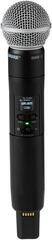
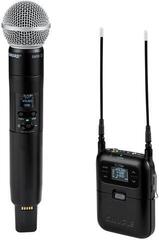
Wireless Handheld Microphones
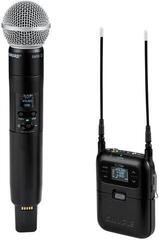
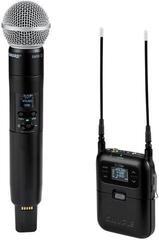
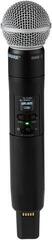
A handheld wireless set combines a handheld microphone, receiver and necessary power supply in a system designed for singing, hosting, presentations or spoken word. It lets you move around the stage without a microphone cable, but still requires correct frequency, signal-level and battery settings. A simple set is sufficient for one speaker, while simultaneous use of several microphones requires more careful planning. Choose according to the application, connectors and local conditions, not the appearance of the transmitter.
What makes up a handheld wireless set
The transmitter is usually built directly into the microphone body, while the receiver passes the audio to a mixing console, active PA speaker or audio interface. Power supplies, batteries, a holder or a connecting cable may be included, but always check the contents for the particular product. Wireless transmission alone does not determine the character of the voice; this is influenced by the microphone capsule, microphone technique and the other parts of the signal chain.
If you need both hands free while speaking, explore wireless headset systems. For discreet speech capture during a presentation, a wireless lavalier system may be suitable. A handheld microphone, by contrast, is a natural choice for singers, hosts and situations where the device is passed between people.
Handheld, headset or lavalier microphone
| Design | Key strength | What to consider |
|---|---|---|
| Handheld set | Direct control of the distance from the mouth, suitable for singing and hosting | Occupies one hand, and microphone technique changes when it is passed on |
| Headset system | Consistent microphone position and hands-free use | The fit must be adjusted and the cable routed to the transmitter |
| Lavalier system | Discreet placement for spoken word | More sensitive to placement on clothing, rustling and fabric movement |
| Plug-on system for an XLR microphone | Wireless use of a compatible existing microphone | The connector, power supply and mutual compatibility must be checked |
Frequency is more than a number in the product name
A wireless system operates in a specific band, and local regulations and other transmitters at the venue may affect its usability. Check the permitted operating conditions before purchase and especially before travelling to another country. When using several sets, you must select mutually compatible frequencies. Automatic scanning for a free channel makes the task easier, but a test is still necessary before the performance.
- Scan or check the environment before the audience arrives.
- Position the receiver so that its antennas are not obscured by a metal obstacle.
- Set the transmitter and receiver to the corresponding channel.
- With multiple systems, write down the frequencies and do not change them without reason just before the programme.
- Do not rely on a vague range figure; the space, obstacles and radio traffic all matter.
Connection to the PA system
The receiver may provide a balanced microphone output, a line output or both. Connect it to an input matching its level and start with the gain set low. An indicator on the receiver helps identify a signal that is too weak or overloaded, but also check the final setting by listening. Use a mixing console to combine several sources.
Feedback does not occur because the microphone is wireless. It appears when sound from the PA speaker returns to the microphone and the loop is amplified. Position the speaker in front of the singer or presenter, hold the microphone close to your mouth and avoid raising the gain unnecessarily. With stage monitoring, test the settings in the same position in which you will perform.
Movement and power during a performance
Testing the venue
Without a cable you can move more freely, but only within the area where radio transmission remains reliable. The signal may drop out beyond this route. During the soundcheck, walk through the entire area you intend to use and monitor the receiver. Metal structures, walls and people can change the conditions.
Batteries ready for replacement
Before the performance, insert charged rechargeable batteries or a fresh, tested set of batteries and check the indicator. Keep a spare set ready in an accessible place, not in a distant case. If you use a charging station, make sure the contacts are seated correctly. Switch off the transmitter after the event; for long-term storage, follow the instructions for the battery cells.
Single-channel or multi-channel set
| Situation | Sensible starting point | What to remember |
|---|---|---|
| One host | One transmitter and one receiver channel | Simple operation and a quick battery check |
| Interview with two people | Two separate channels or a dual-channel set | Separate volume adjustment for both voices |
| Band or panel discussion | Several coordinated channels | Frequency plan, more console inputs and microphone labelling |
| Existing XLR microphone | wireless system for XLR microphones | Compatibility, size, power and balance in the hand |
Quick check before the performance
- Verify the band and set a clear, compatible frequency.
- Connect the correct receiver output to a suitable input.
- Check the battery status and prepare a replacement.
- Test both the voice and movement throughout the entire area in use.
- Label the microphones if there are several, and switch off every transmitter after the programme.
A handheld set gives a singer freedom on stage, a host freedom among guests and a speaker freedom in a hall. Reliability, however, is determined not by a “professional” label but by a suitable band, correct connections and an on-site test. From stands, coloured identification, transport cases and cables, select only what addresses a specific operational need.