Albania
 Argentina
 Australia
 Austria
 Belgium
 Bosnia and Herzegovina
 Brazil
 Bulgaria
 Canada
 Chile
Chile
 Colombia
 Croatia
 Czech Republic
 Denmark
 Estonia
 Finland
 France
 Germany
 Greece
 Hungary
 Ireland
 Italy
Italy
 Latvia
 Lithuania
 Luxembourg
 Mexico
 Moldova
 Montenegro
 Netherlands
 New Zealand
 North Macedonia
 Norway
 Philippines
 Poland
 Portugal
 Romania
 Serbia
 Slovakia
 Slovenia
 South Africa
 Spain
Spain
 Sweden
 Switzerland
 Turkey
 Ukraine
 United Kingdom
 United States of America



Hi-Fi Coaxial cables
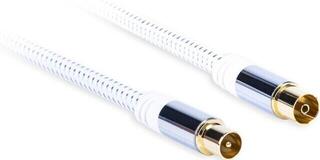
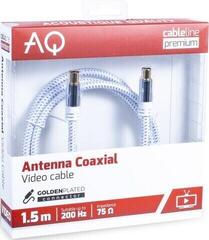
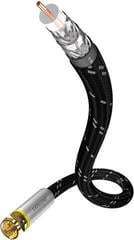
A Hi-Fi coaxial cable is used to connect a compatible signal source digitally to an amplifier, D/A converter, or active audio device. Before choosing one, check the type of digital interface, the connectors at both ends, and the required length. Connectors with the same shape do not necessarily mean that the input and output use the same signal format. It is also important to plan the cable route so that the cable is not stretched, kinked, or exposed to mechanical damage.
Hi-Fi coaxial cables
A digital coaxial cable carries an electrical digital signal between the appropriate output and input. In home audio, this is often a coaxial S/PDIF interface, but check the exact designation in the manual or next to the connectors on both devices. Do not automatically confuse it with an analogue audio connection simply because it may use a similar RCA connector.
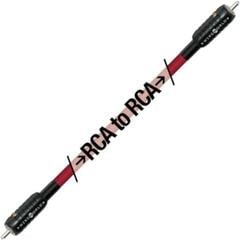
To create a working connection, you need the correct connector at each end. RCA–RCA is the most common configuration, although some devices may use BNC. If the devices have different connectors, choosing solely by the appearance of the cable is not enough; you must also verify that both ports carry a compatible digital signal and that the chosen connection is intended for the interface in question.
Comparison of connectors and uses
| Configuration | What to check | Practical note |
|---|---|---|
| RCA–RCA | Coaxial digital output and input | An RCA port may also be used for analogue audio, so check its label. |
| BNC–BNC | Digital BNC ports on both devices | Check how the connector locks in place and make sure there is enough room to handle it. |
| RCA–BNC | Interface compatibility despite the different connectors | A different connector alone neither confirms nor rules out signal compatibility. |
Coaxial digital transmission is not the same as optical transmission. If a device has only an optical input or output, you cannot connect a coaxial cable to it without a suitable converter. Also watch out for analogue RCA inputs and outputs, which may be similar in colour or shape but work with a different type of signal.
What to check before choosing
- Find the digital output on the source device and the digital input on the destination device.
- Read the port labels and verify that both support the same coaxial digital format.
- Identify the connector at each end separately; do not rely solely on a photo of the port.
- Measure the actual route between the devices, including extra length for routing behind furniture.
- Make sure there is enough space around the connectors and that the cable will not bend sharply immediately behind the plug.
- Check that the route does not pass through an area where the cable may be stepped on, trapped in a door, or affected by moving furniture.
- If you route several cables together, label both ends so that you do not mix them up when connecting them later.
- Consult the device manuals before purchasing, especially if the connectors are not clearly labelled.
Length and safe routing
Choose the length based on the actual route, not just the direct distance between the devices. A cable that is too short may pull on the sockets and make it difficult to move the device out, while an unnecessarily long section is harder to arrange. Leave enough slack for connection and service access, but do not create tight loops or bundles that could catch on other equipment.
- Route the cable away from walkways and areas with frequent movement.
- Do not place it under sharp edges or trap it beneath furniture.
- When disconnecting it, hold the connector rather than the cable itself.
- Leave room behind the device for a natural bend without tension.
- After connecting it, check that both connectors are firmly seated.
Connecting it to a Hi-Fi system
Switch off the devices before connecting them, then plug the cable into the appropriate digital output on the source and the digital input on the destination device. Next, select the correct input on the receiving device; follow the source device's manual if its digital output needs to be configured. If there is no signal, first recheck the selected ports, interface type, connector seating, and input setting.
When planning a larger setup, you can also browse the Hi-Fi systems category. Choose a coaxial cable only after checking the specific inputs and outputs of the components you want to connect.